Features
Everything between an idea and a file your laser can cut.
Box maker
Boxes with finger joints that fit. Set the size, the material thickness and your laser's kerf, and PrintCut draws every side. Want a curved lid? The living-hinge box bends from a single sheet.
Templates
Start from ready-made boxes and flat designs, such as a name puzzle that builds the board, letters and pegs from any name. Add text in any Google Font and it becomes cut-ready outlines.
3D preview
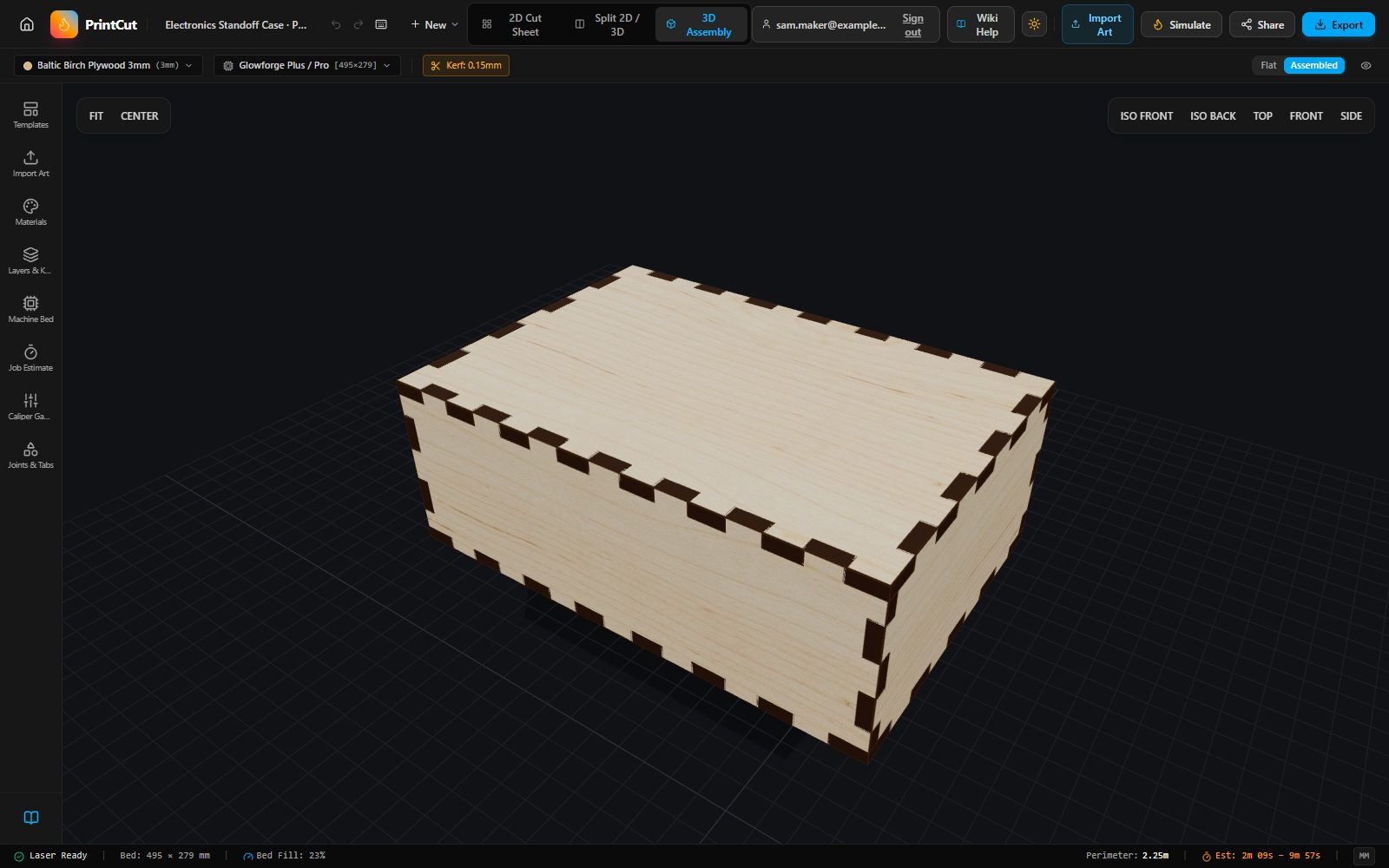
See the assembled piece before you cut anything, in a finish that matches your material. Turn it around and check the fit.
Bring your own artwork
Import SVG, PDF, DXF or EPS files, or drop in a PNG or JPG and have it traced into cut lines. Choose which colours cut, score or engrave.
Cut files
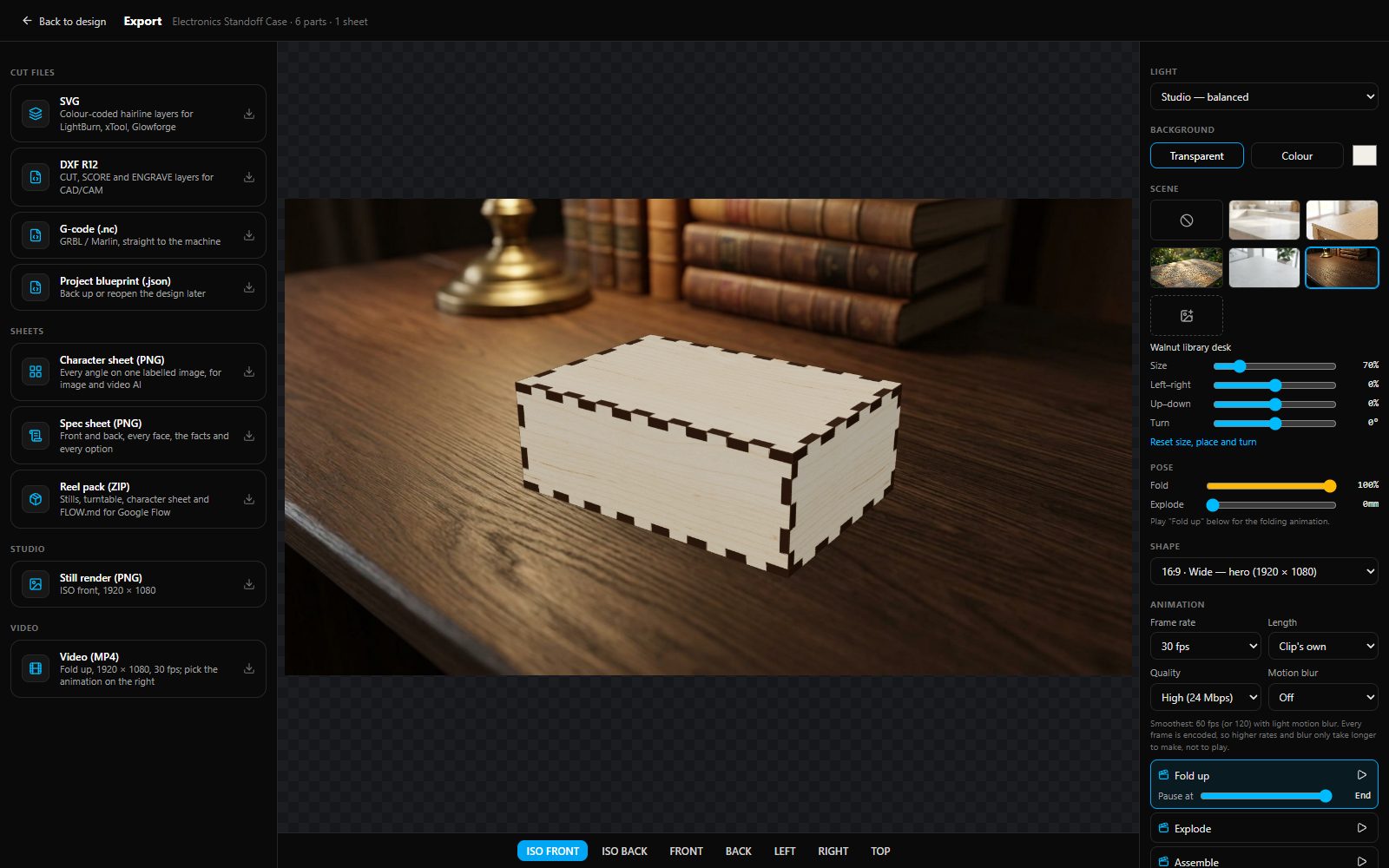
Download SVG with colour-coded layers for LightBurn, xTool or Glowforge, DXF for CAD software, or G-code for GRBL and Marlin machines. Save a project file to back up a design.
Sheet layout and cut time
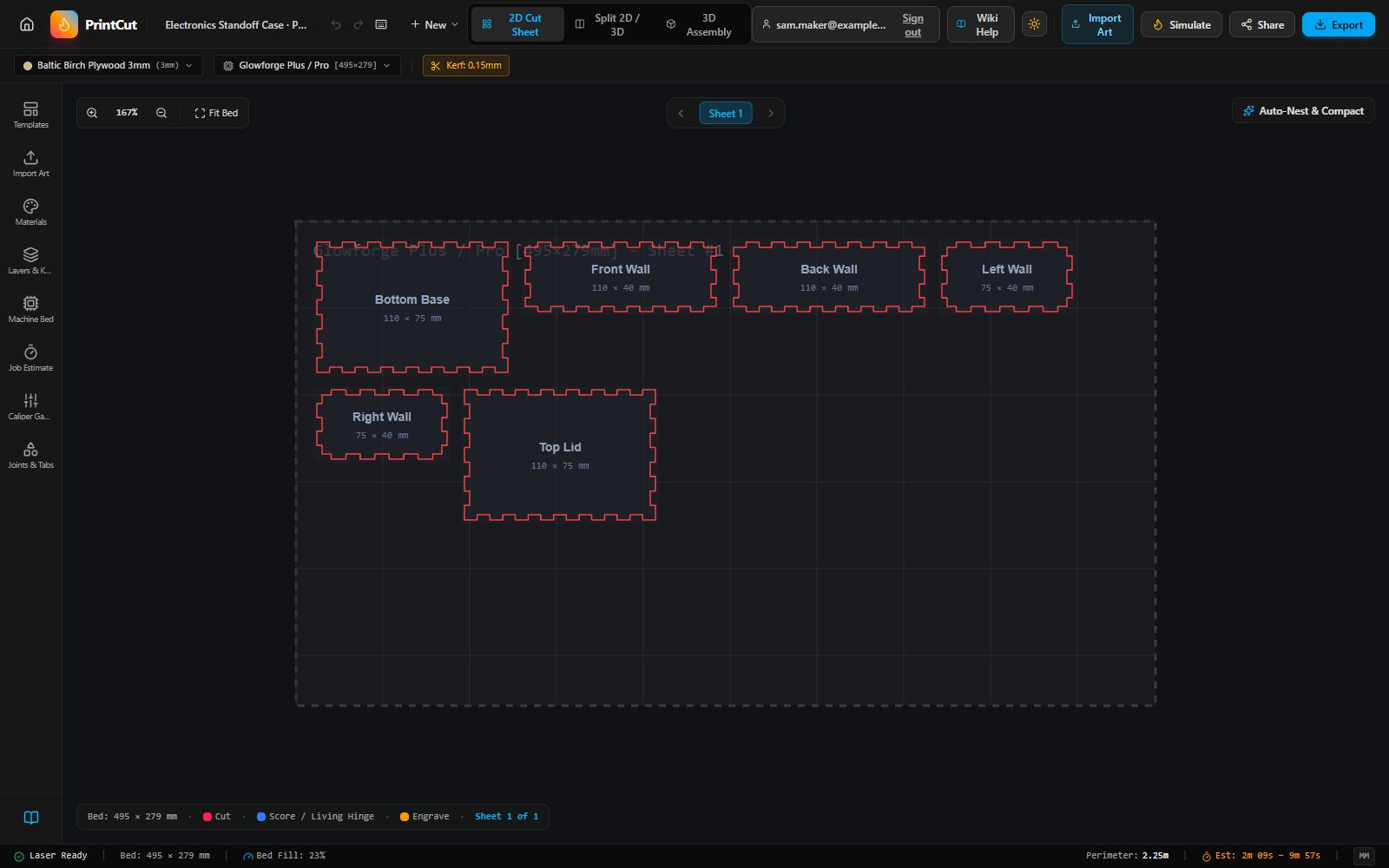
Parts are packed onto your bed for you. You see the total cutting length and an estimate of the cutting time before you start.
Share a link
Share a link that shows your design in 3D. People who open it can make their own copy to edit. Your original stays as it is.
Submit templates
Made something others would like? Send it in. A person reviews it, and once published it carries your name as its creator.
Pictures and clips
Make still renders and short turntable videos in studio lighting, plus a character sheet and a spec sheet that show every side, the size and the parts.