Name Puzzle
A child’s name as a puzzle: every letter and decoration lifts out of a top board glued to a base, with a grip knob on each piece. Six chunky fonts, 40 decorations to colour in, or your own picture.
Use this templateSign in or create a free account to use it.
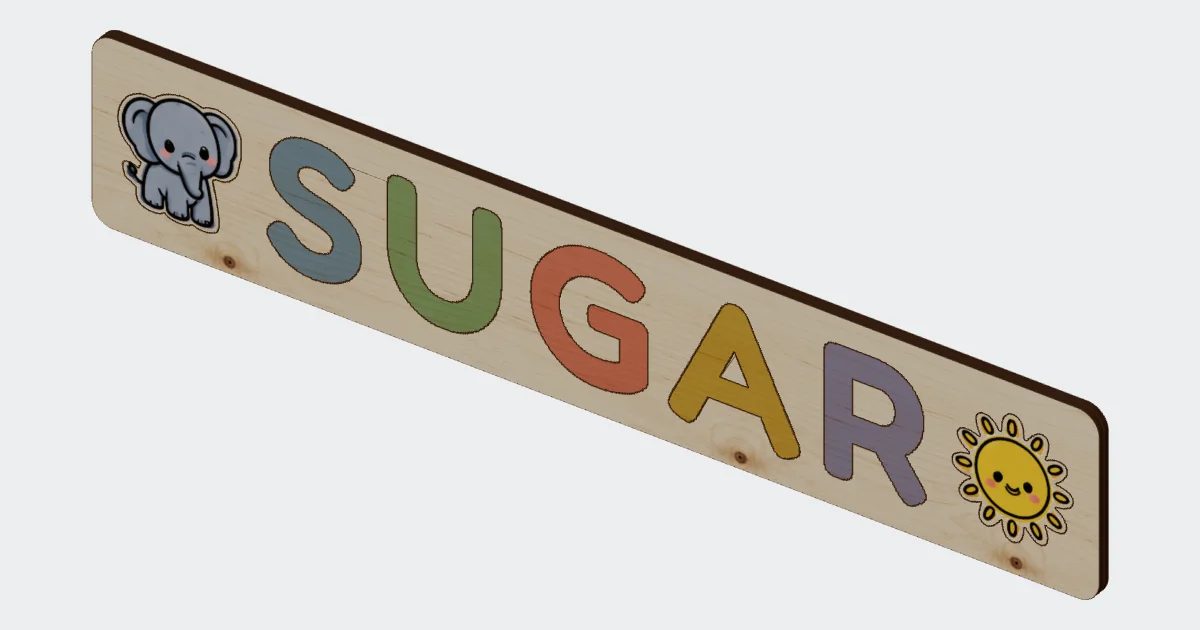
Type a name. Get a laser file.
Type a child’s name and PrintCut draws the whole puzzle: a top board with every letter cut out, a base board to glue under it, and a grip knob for each piece. Every letter is cut from the board it sits in, so one cut makes both the piece and its hole. They always match: no test cuts, no sanding a piece until it fits.
Everything on one board
Type the name, pick a font, and add decorations around it. The board grows to fit the letters, and a long name wraps onto a second line once it reaches the width you set. Drag or turn any decoration where you want it. The finished board size is always on screen, and you can type an exact width, scale the whole puzzle, or press Fit to bed. Turn it around in 3D to see the two boards stacked before you cut anything.
What you get
- Top board: the letters and decorations, each cut in place.
- Base board: the same size, glued under the top board to close the holes.
- Grip pegs: two discs per piece, glued on top as a knob that small hands can hold. Or cut them from the base board instead: one disc under each piece that plugs into its hole and seats it.
- Letter middles: the insides of A, B, D, O, P, Q and R fall out when the letter is cut. PrintCut counts them and tells you to glue them back onto the base, inside the letter’s hole.
One file, three layers
Download an SVG for LightBurn, xTool or Glowforge, with each kind of line on its own layer: red for what is cut through, black for what is engraved, and the part names in small blue text (untick them if your laser program would burn them). Prefer another format? Take a DXF for CAD software or G-code for GRBL and Marlin machines. The parts are laid out on your bed for you, with the total cutting length and an estimate of the cutting time.
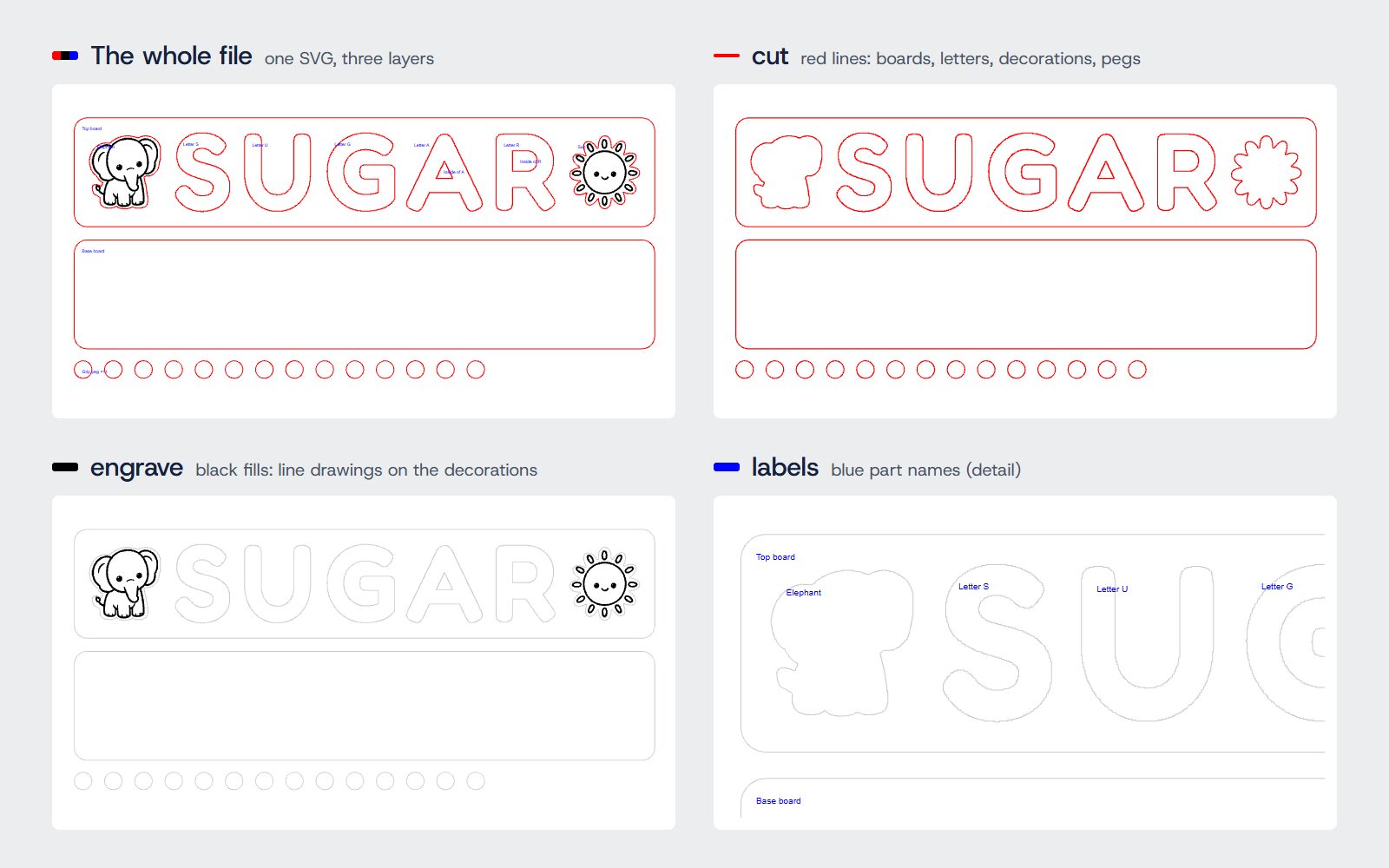
40 decorations, or bring your own
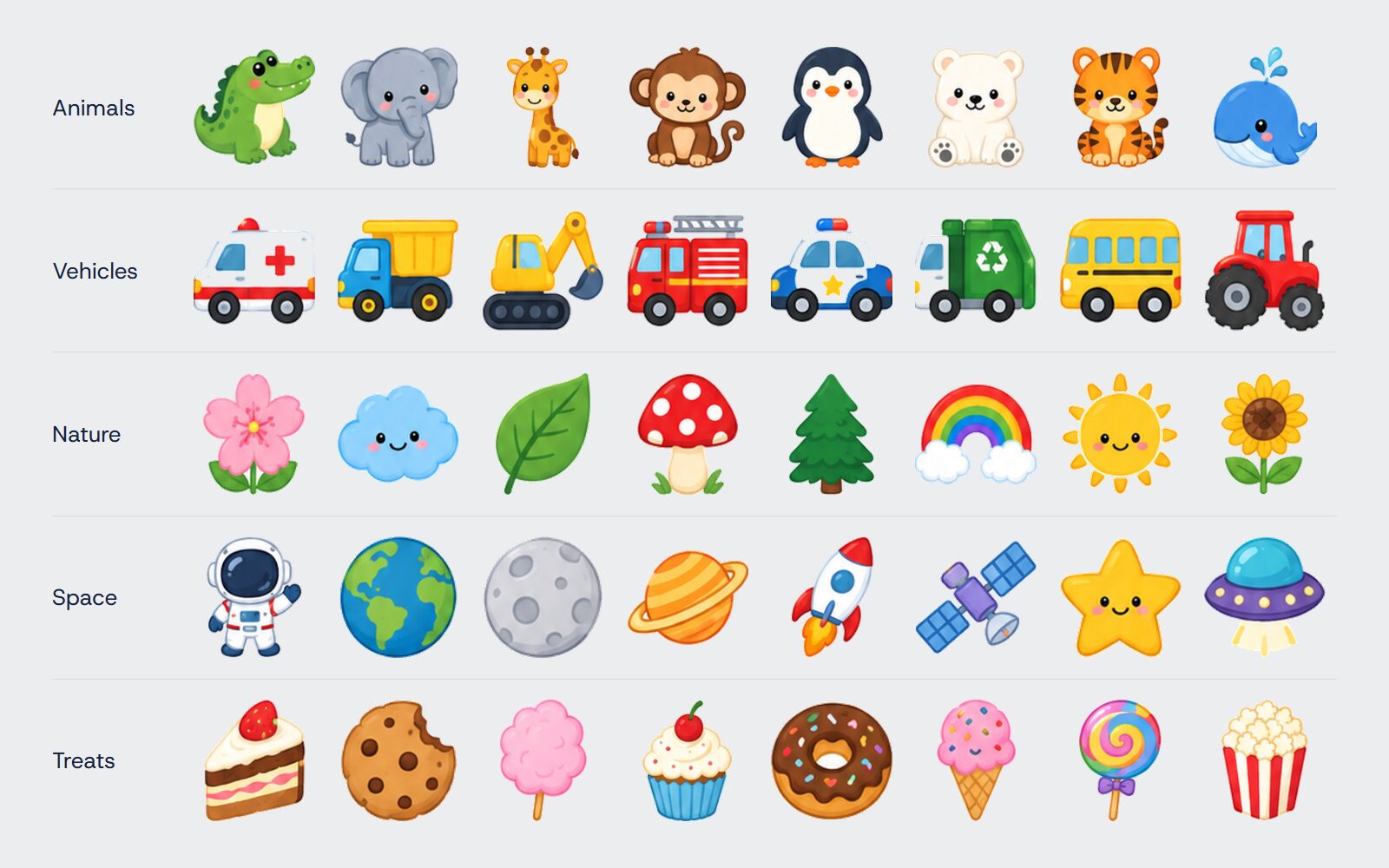
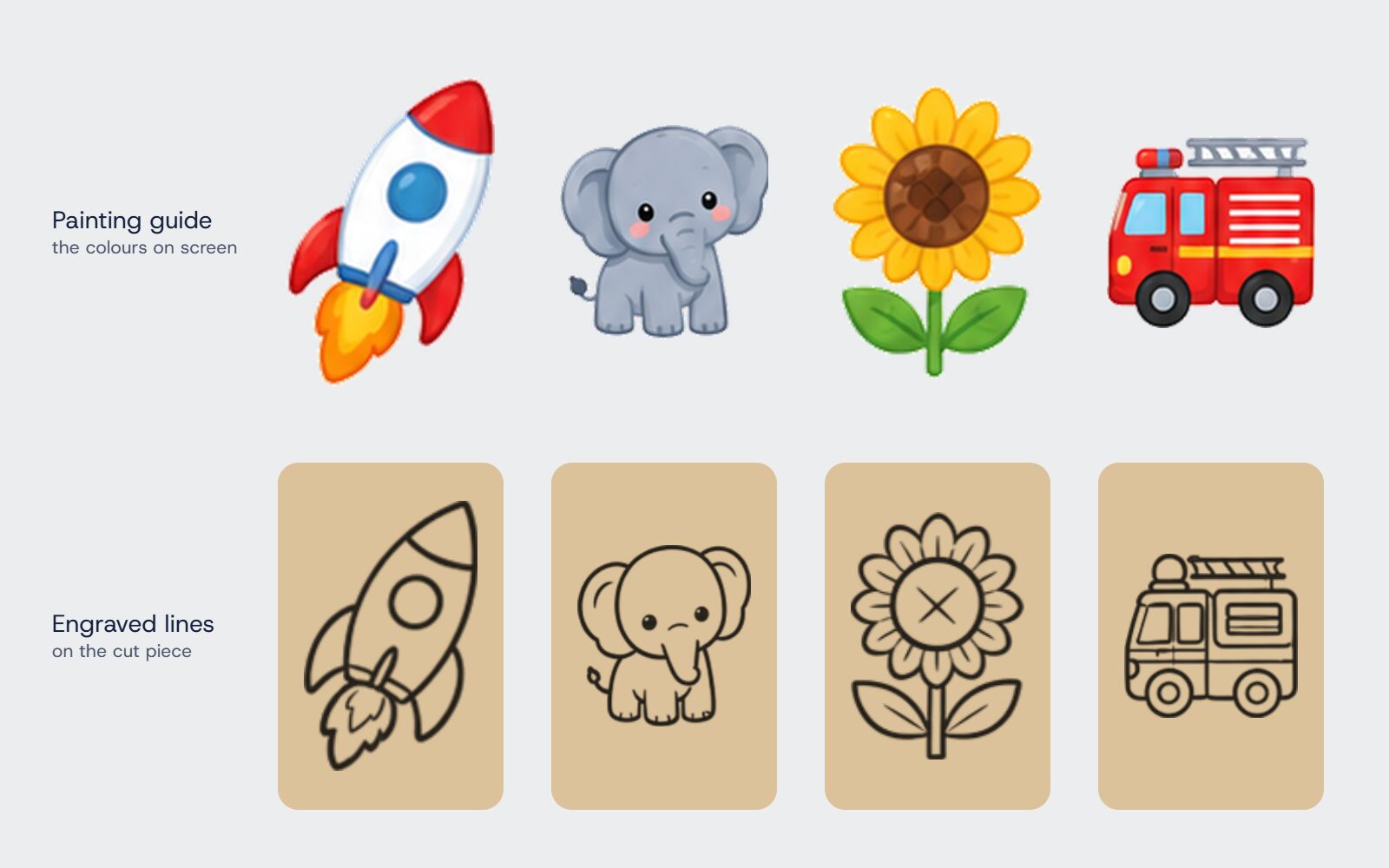
Choose from 40 decorations in five groups: animals, vehicles, nature, space and treats. Each one cuts out along its outline and has its line drawing engraved on the face, ready to paint. Place them on both sides of the name, all around it, or just left, right, above or below. Upload your own PNG or SVG and it is traced into a cut outline.
Six fonts, all thick enough to cut
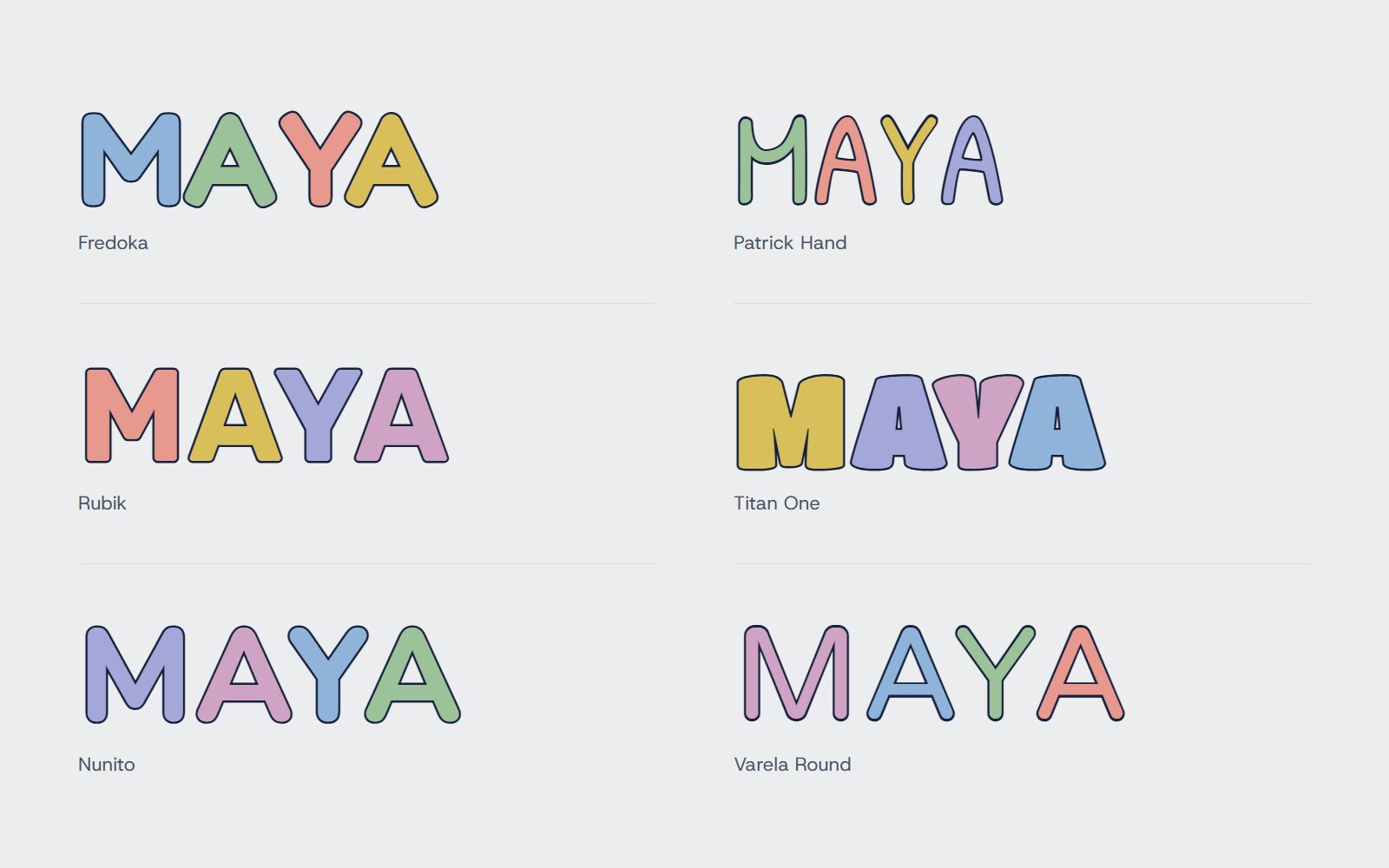
Fredoka, Patrick Hand, Rubik, Titan One, Nunito and Varela Round, each drawn at its boldest weight. Thin strokes snap when a small child pulls a piece out, so every suggested font is chunky. You can also pick any Google Font if you know it will hold.
Built for the machine, not just the screen
- Checks the board against your laser’s work area, and says so when it will not fit.
- Warns when there is less than 3 mm of wood between two pieces or around the edge, where it can break.
- Moves a decoration clear when you drop it onto another piece, and warns when it sits less than 3 mm from one.
- Flags any piece under 32 mm across: small enough to be a choking hazard for children under 3.
- Tells you when a piece is too thin for a grip peg, or when the pegs hang over a letter’s strokes.
Assembly
- Cut the top board, the base board and the pegs.
- Glue the letter middles onto the base, inside their letters’ holes.
- Glue the top board onto the base, edges lined up.
- Stack two discs and glue them onto each piece as its knob.
- Sand the edges of the letters lightly so they lift out easily.
Cut it from 3 mm plywood, paint the letters and decorations, and it makes a lasting gift for a birthday, a new baby or a first day at nursery.


